
Show shoppers
when the offer ends.
Link a timer to a Shopify discount. It counts down to the discount's end, on a bar across your store or a card on the page, and stops when the discount does.
 Install Countdown Timer
Free during early access
Example product page with a countdown showing when the sale ends.
Live in three steps.
No dates to type. The timer takes them from your discount.
-
Pick a discount
Choose any Shopify discount, automatic or code. The timer takes its dates from it.
-
Choose a design
Start from a ready-made design or your own colors, and watch the live preview as you edit.
-
Turn it on
Publish the timer and turn on the app embed in the theme editor. For a card, also add the timer block where it should show.
A timer you can trust.
Built so the deadline on your store matches your discount.
-
Follows your real discount
Change the discount's dates, end it or delete it, and the timer follows, so the deadline shoppers see is the discount's own.
-
Shows the code
For a discount with one code, the timer can tell shoppers which code to use.
-
A bar or a card
A full-width bar on every page, or a card exactly where you place the block.
-
Ready-made designs
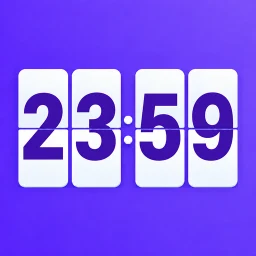
Designs for Halloween, Black Friday, Cyber Monday, Christmas and New Year's Eve, plus a flip clock.
-
Flip and slide digits
Animated digits that stay still for shoppers who prefer reduced motion.
-
A button or a link
Add a call to action, or make the whole timer a link. See its views and clicks in the app.
-
In your store's languages
Write the timer's text for each language your store sells in.
-
Out of the way
Let shoppers close the timer if you like, and a pinned top bar can fold away as they scroll.
-
When it hits zero
Hide the timer, show an ended message, or hold it at 00:00.
Questions merchants ask
Something else? Write to support@no-brainer.app.
-
Is it free?
Yes, for every store during early access. If pricing ever changes, you'll hear well in advance, and early installs keep free access.
-
Do I need to edit code?
No. You turn on the app embed in Shopify's theme editor and, for a card, add the timer block. The app's setup guide walks you through it.
-
Does it change my discounts?
No. It only reads them, to show their dates and code. Your prices and discounts stay as you set them.
-
What happens when the discount ends?
The timer ends with it. You choose whether it disappears, shows an ended message, or holds at 00:00. If you delete the discount or remove its end date, the timer comes off your store.
-
Can I use a discount with no end date?
No. A countdown needs an end, so the app lists those discounts but you can't pick them until they have an end date.
-
How many timers can I run?
Up to 20 published timers at a time.
Need sale prices as well?
Sale & Compare-At puts products on sale and sets every price back when the sale ends. With both apps, a timer can count down to a sale and follow it when you extend or end it.

Give your next sale
a deadline.
Free during early access, with friendly support by chat or email.
Or read the help center